What
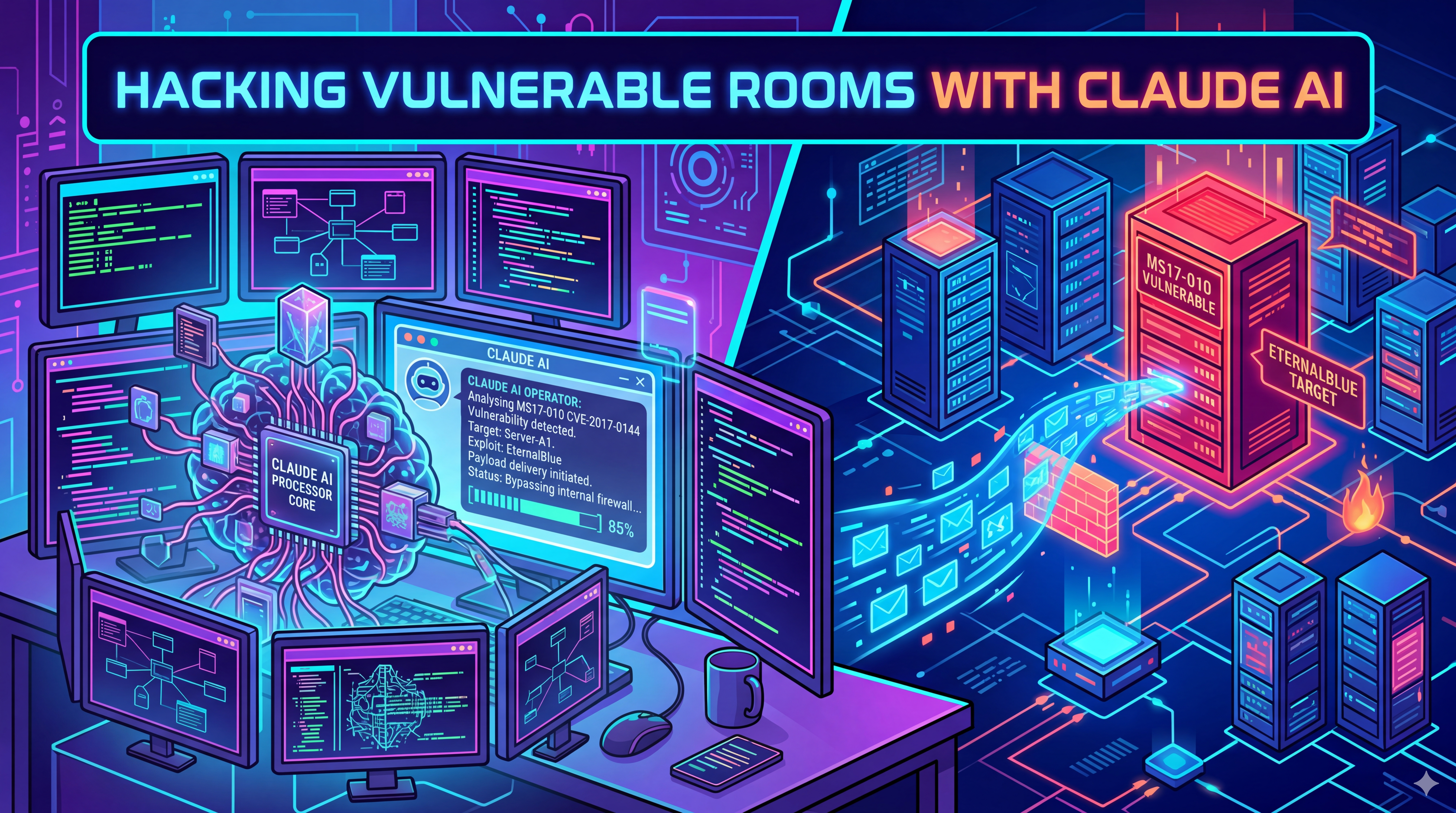
I recently used Claude Co-Work with Kali Linux to hack the Eternal Blue room in TryHackMe. My goal was to have as little involvement as possible and let AI drive most of the process. This meant having Claude also generate the docker compose file I used to spin up the Kali Linux docker container.
When it was done hacking the room I had Claude Cowork generate a guide in my Obsidian vault detailing a step by step process someone could use to hack the room in the future.
There write-up that Claude did can be found here https://chris-smith.net/guides/eternalblue/
Disclaimer
I’ve already hacked this room before when I first started using the TryHackMe platform. So I’m not earning myself any points that I haven’t already earned by having AI hack this room.
Setup
Intial setup was very minimal and took only 10 minutes to get everything going. That includes prompting Claude for the files needed to spin up my Kali Linux container and running them.
- Downloaded the Claude cowork app from Anthropics website
- Setup Kali Linux using a docker compose file Claude generated
- Downloading the OVPN file from TryHackMe so Kali Linux could connect to the room over VPN
My docker files
Compose file
|
|
Dockerfile
|
|
Adding MCP Server to Claude
Once your docker containers have been spun up I needed to add Kali’s MCP server to Claude so it knows how to access it. The MCPs servers are added in Claude’s claude_desktop_config.json file.
Default config file locations Windows: ~/Library/Application Support/Claude/claude_desktop_config.json MacOS: ~/Library/Application Support/Claude/claude_desktop_config.json Linux: ~/.config/Claude/claude_desktop_config.json
Code to add the MCP server
|
|
After the above code has been added to the config file you’ll need to restart the Claude desktop app. On the next startup you should see a message that Claude has either successfully or unsuccessfully connect to the MCP server. If it was unsuccessful you can click the message and there should be an option to view the logs. You can paste the logs back into Claude for help diagnosing the connection issue. Also make sure your Kali docker container is running!
Lets start hacking
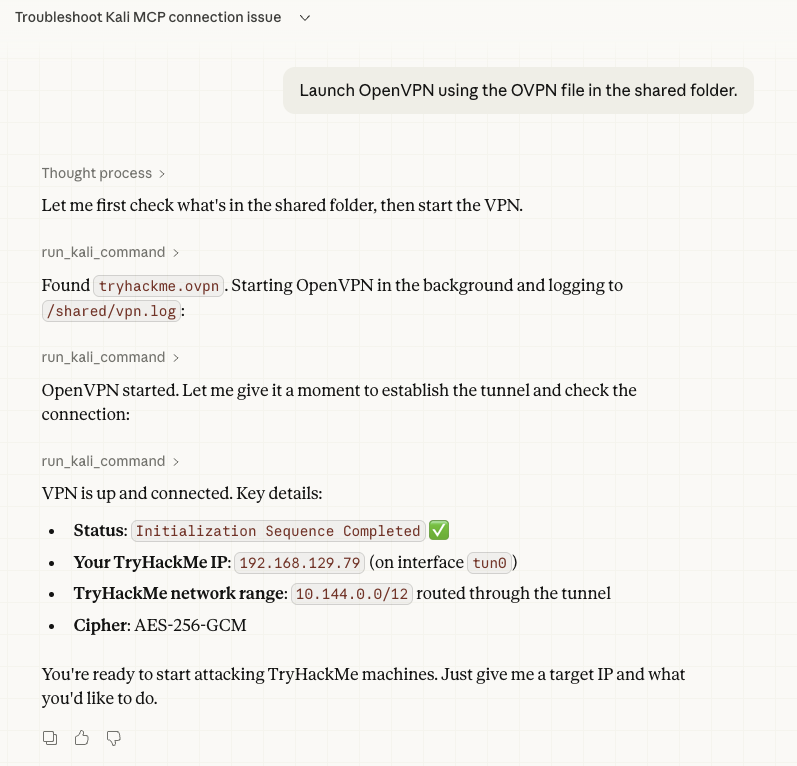
For my first command I asked Claude to connect to the TryHackMe VPN and it immediately confirmed the VPN connection was active and returned back it’s connection information.
I then spun up the Eternal Blue room vulnerable box and asked Claude if it could see that IP address which it also confirmed that it could.
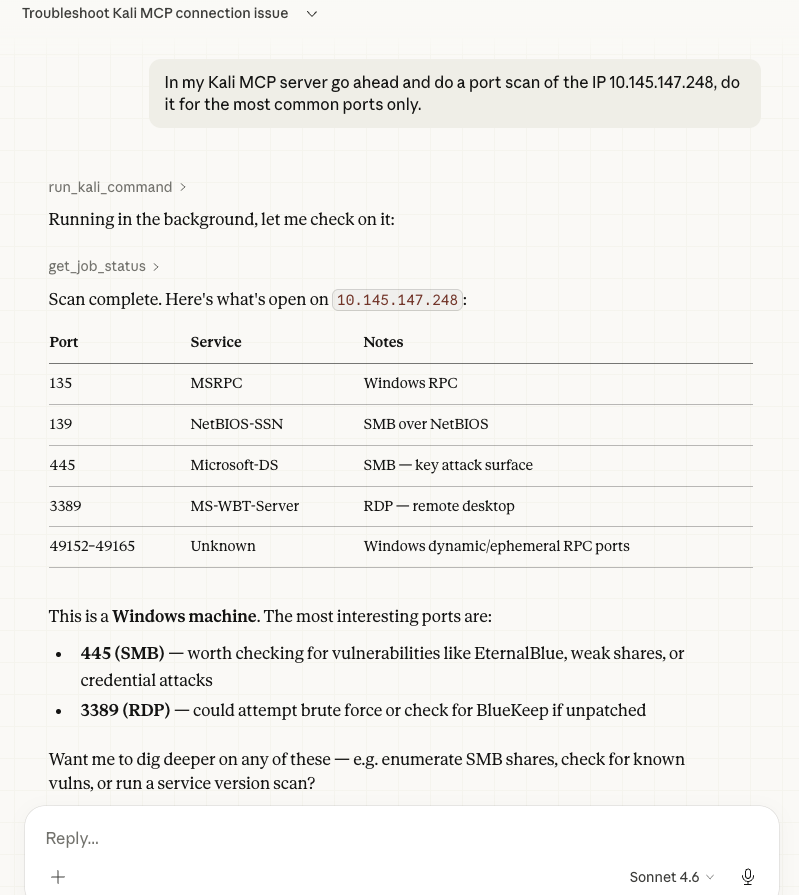
Now that everything is online and Claude can see it, the only next thing to do would be running a port scan. Claude confirmed it started the scan and then returned back a beautiful chart of all the open running ports with their descriptions. It also returned back results showing that ports 445 and 3389 were of particular interested.
Claude identified the port and asked if we should investigate further to which I said do it. It then returned back that indeed port 445 was vulnerable to the MS17-010 (EternalBlue) vulnerability. It also returned back a lot of helpful information such as OS information and a brief synopsis of the vulnerability itself.
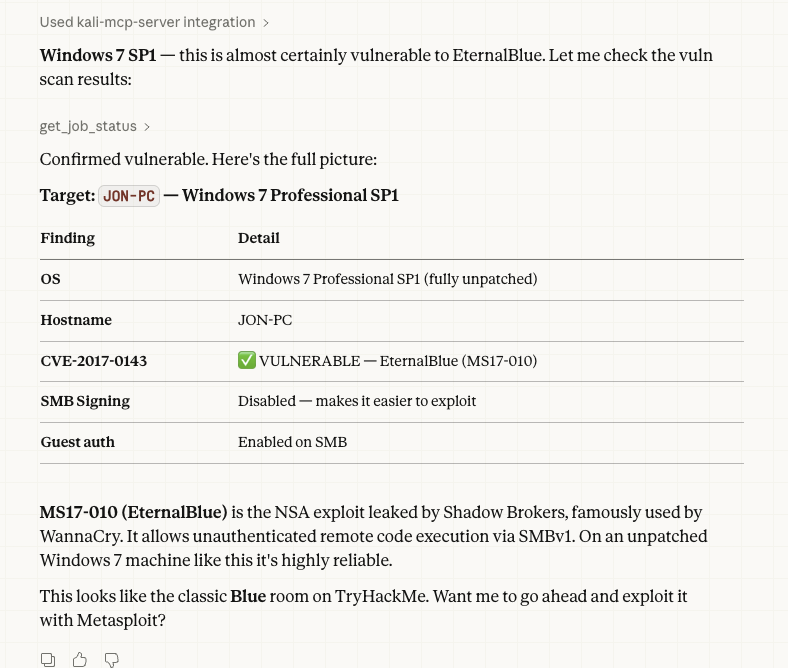
So to recap what Claude has been able to do so far and what it easily accomplishes: - See the vulnerable machine - Run a port scan and return detailed results and analysis - Run a vulnerability Scan and determine 445 is vulnerable to EternalBlue - Exploit port 445 opening a meterpreter session to the vulnerable PC - Dumping user hashes and cracking the Jon user password.
Everything in the list above was easy and instantly done using Claude Cowork. But this is the point where Claude starts to stumble and I need to intervene. Ironically at this point Claude already has system level access to the vulnerable PC and only needs to read the contents of the files containing the flags. But even when I specifically give Claude the file locations for the flags it still has issues trying to view the contents.
Once Claude has issues reading the files it starts getting creative. It starts to try and download the files to temp locations to read them there or it starts to generate it’s own scripts that it can use to do a different kind of exploit that might help. The vulnerable room starts crashing frequently and I find out later Claude had around 20 active remote connections all trying different things.
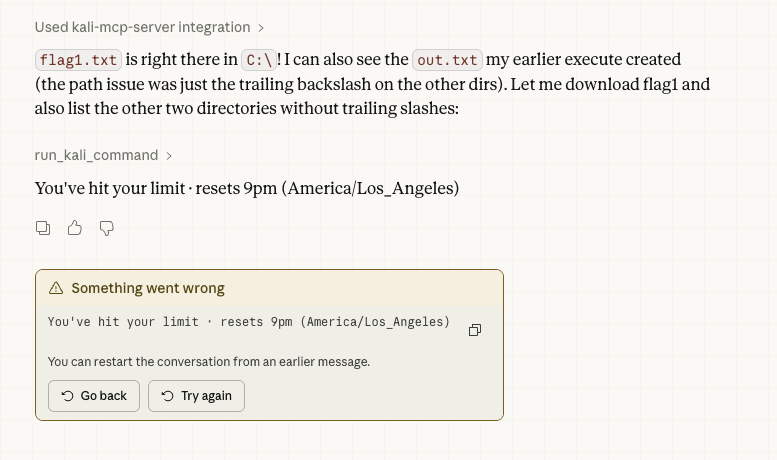
Not only was I overwhelming the remote Vulnerable VM, I was also chewing through my daily Claude usage. Right when Claude tells me it had a breakthrough, it also tells me that sorry my limit is reached and I have to wait for a daily reset at 9pm.
Hacking results
I did come back at 9pm to try again when my Claude usage limits reset. I even tried guiding Claude to the answers it needed. But I was only ever able to extract the first flag. This is definitely an issue a human user would have been able to diagnose and figure out quicker and where AI had a big fumble. But getting to this point so easily was super impressive and scary.
I heard that the latest version of Kali that released also includes a Kali-MCP server by default. This project helped give me a huge understanding of how MCP servers work and their benefit. I can see how if I’m hacking a room in the future I could use the MCP server and an AI of my choice to help me when I’m stuck. It would also be able to better explain what’s happening and why while I’m doing it which is a huge learning opportunity.
Obsidian
Because Obsidian is just a large grouping of markdown files, Claude desktop has an easy time viewing and writing to it. I only had to tell Claude to write a guide to my Obsidian and specify the location of my vault. The guide came out amazing and you can view it here